
Riff: Fast Easy Photo Edits
Riff AIPhotography
4.273.00 Reviews
- Version
- 2026-06-05T02:52:34Z
- Installs
- 50.00K
- Age Rating
- Everyone
Screenshots
Our Review of Riff: Fast Easy Photo Edits
 Analysis by Appyee
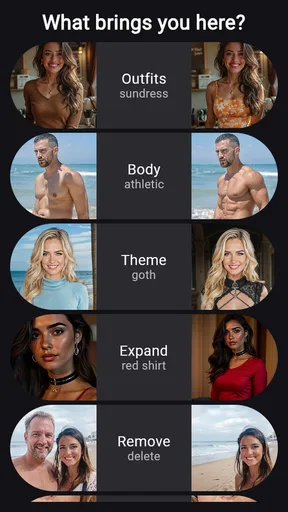
I tried Riff as a quick photo-editing app rather than treating it like a full desktop replacement, and that distinction matters. Its appeal is straightforward: it is built around changing the appearance of a person or a scene without asking you to learn a complicated editing workflow. The main ideas are outfit swaps, body-shape adjustments, added details, and removing distracting elements. In practice, that makes it most interesting for people who want to test a visual idea quickly, not for photographers who need precise control over every pixel.
Riff sits in the Photography category and is developed by Riff AI. It is free to install, with optional in-app purchases ranging from a few dollars to amounts closer to a premium creative subscription. That pricing structure makes the first experiment easy, but it also means I would check the purchase screen carefully before committing to repeated edits. The app is rated for Everyone, and it runs on Android devices using version 8.0 or later, so the basic technical barrier is fairly low.
What using Riff feels like when the goal is a believable edit
The strongest part of the experience is the speed of the idea-to-result process. Instead of opening a traditional editor, searching through layers, masks, brushes, and adjustment panels, I can approach a picture with a plain-language intention: change the clothing, reshape a visual detail, add something, or clear an unwanted object. That makes Riff feel closer to a creative assistant than a conventional retouching tool.
That simplicity is useful, but it also changes what I expect from the result. An automatic edit can look convincing at first glance while still showing small problems around hair, fingers, fabric edges, jewelry, or the background. I found it more helpful to judge the image at normal viewing size first, then zoom in before deciding whether it was ready to share. A fast result is not automatically a finished result.
A realistic everyday use case would be preparing a secondhand clothing listing. I could photograph a jacket or shirt, try a different visual presentation, and remove a distracting item behind the subject. That does not replace a clean original product photo, but it can help me decide which styling direction is worth photographing properly. The same workflow could help someone compare outfit ideas before shopping, create a social post, or make a profile picture feel less ordinary.
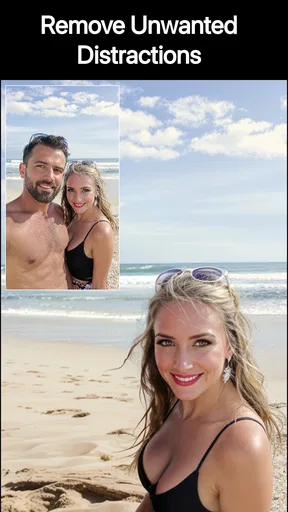
Another useful scenario is cleaning up a travel photo. A passerby, bin, sign, or stray object can pull attention away from the subject. Riff’s removal-oriented approach is convenient when I want a quick improvement and do not want to spend time learning a clone tool. I would still keep the untouched original, because an automated removal can alter nearby textures or leave an edge that becomes obvious when the image is enlarged.
Outfit changes are creative, but not a substitute for a fitting room
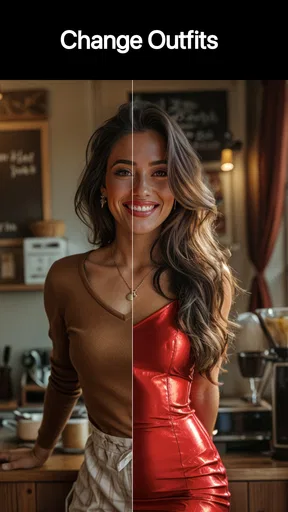
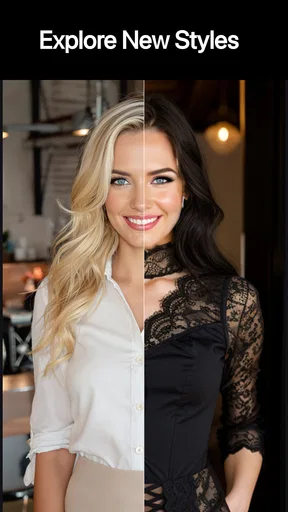
The outfit workflow is probably the feature most likely to attract casual users. It offers a quick way to explore how a person might look in a different style without changing clothes repeatedly or taking several new photos. I see genuine value here for mood boards, costume ideas, event planning, and personal styling experiments.
The trade-off is that clothing is not just a flat color placed over a body. Folds, shadows, sleeves, collars, hair, hands, and the original pose all affect whether a replacement feels natural. A front-facing portrait with clear separation between the person and the background is a better starting point than a crowded group photo. I also get more useful results when the original clothing is not heavily obscured by bags, crossed arms, or long hair.
For a practical workflow, I would begin with one clear image and make one major change at a time. If I change the outfit and remove several background objects in the same attempt, it becomes harder to tell which alteration caused a strange result. Saving the original and comparing versions side by side is a small habit, but it prevents a polished-looking edit from quietly replacing a better, more authentic photograph.
Body adjustments require a more careful standard
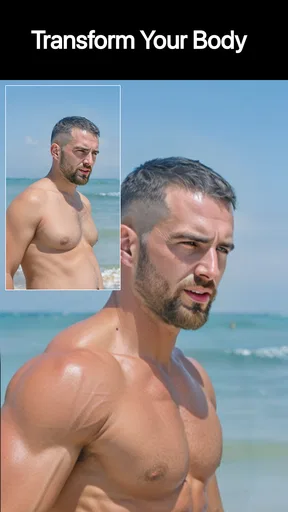
Body-type changes are more sensitive than changing a shirt or removing a background distraction. They can be useful for visual storytelling, character concepts, or understanding how a pose and outfit might read with different proportions. They can also create pressure to treat an edited appearance as a target that a real person is expected to match.
I would use this part of the app with a clear purpose and a light touch. Strong alterations can affect the background, furniture, door frames, or other straight lines near the body. Those surrounding details are often the first clue that an edit has gone too far. A portrait with plenty of space around the subject gives the system more room to work than a tightly cropped image where the body touches the edges.
This is also an area where a traditional editor may be the better choice. If I need a controlled, reversible adjustment for professional work, I would rather use a tool with visible layers, masks, and manual correction. Riff is more convenient for exploration, but convenience comes from giving up some direct control. That is a fair trade for a casual experiment, not necessarily for an image representing a person, brand, or paid service.
Adding details works best when the scene already supports them
Adding visual details can turn an ordinary image into a concept image, but the surrounding lighting and perspective still matter. A new object that does not share the scene’s shadows or scale will feel pasted in. I found that the most convincing ideas are modest ones: a detail that belongs in the existing composition rather than an ambitious addition that has to dominate the entire frame.
Before accepting an addition, I would inspect its contact with nearby surfaces. Does it appear to sit on the table, hang from the person, or occupy the floor? Does its direction match the camera angle? These questions are more useful than simply asking whether the object looks attractive on its own. The app can help create the first version, but my judgment still decides whether the result makes visual sense.
There is a useful creative trade-off here. Riff can help me make a rough concept quickly, while a conventional editor gives me more reliable precision. If I am brainstorming a poster idea or imagining a room change, speed wins. If I am preparing a final commercial image, I would want a second editing stage with manual cleanup and a consistent visual standard.
Removing distractions is the most practical everyday feature
Of the main editing tasks, removing distractions feels easiest to justify in ordinary use. A photo can be meaningful even when one small object ruins the composition. A quick removal can rescue a family picture, a vacation snapshot, or a portrait that would otherwise stay hidden in the camera roll.
Still, removal tools work best when the background behind the unwanted object is simple. Repeating textures, straight lines, text, and detailed patterns are harder to reconstruct convincingly. If the object overlaps a face, hand, or important piece of clothing, I would be especially cautious. A result that looks fine in a thumbnail may become uncomfortable once the missing area is noticed.
My advice is to treat the removal as a draft. Keep the original, inspect the edit against nearby edges, and avoid presenting a heavily reconstructed scene as if nothing changed when accuracy matters. That is not a criticism unique to Riff; it is the basic responsibility that comes with any intelligent image-editing tool.
Trust, control, and the moments where I would slow down
I treat trust as part of the editing workflow, not a box to tick after the image is finished. Before I choose a photo, I consider how much personal context it contains and whether the change could mislead someone who sees it; that quick pause is especially worthwhile for portraits and images I plan to share. From there, it helps to build repeatable habits that make experiments easier to compare and less likely to become impulsive edits.
What I can judge directly from the app experience
Trust begins with visible choices. When an app changes a personal photo, I want to know what I am selecting, what action I am requesting, and when a purchase might be involved. Riff’s simple concept is helpful because its purpose is easy to understand: I bring an image and ask for a visual transformation. I would still read each screen rather than tapping through automatically, particularly when moving from a free experiment toward an in-app purchase.
The app has a broad Everyone age rating, which makes its presentation approachable for general users. That should not be confused with a guarantee that every generated edit is appropriate for every situation. Parents, schools, and anyone editing another person’s image should still establish their own boundaries around consent, sharing, and the kinds of transformations they consider acceptable.
The developer is Riff AI, and the current version is identified by a timestamp-style release label. I would keep the app updated through the normal store process, but I would not assume that an update removes the need for personal caution. A newer build can improve editing behavior while still leaving the user responsible for reviewing permissions, purchase prompts, and sharing decisions visible on the device.
Data-sensitive moments deserve deliberate choices
The most sensitive moment is not always the final export. It can be the instant I choose a private portrait, a child’s picture, an identity document, or an image containing someone who did not ask to be edited. Before selecting a photo, I would ask whether the image is suitable for an AI editing workflow at all. If the answer is no, a less sensitive picture is the better test.
I would also avoid using Riff as a casual place to experiment with documents, medical images, private conversations, or photographs whose background reveals more than I intend. Even when the edit itself is harmless, the source image may contain faces, addresses, screens, or other personal context. Cropping first can reduce unnecessary exposure and also gives the editing system a cleaner composition.
Another practical step is to review the finished image before sharing it. Automatic edits can introduce details that were not present in the original or change how a person appears. If I am posting someone else’s photo, I would ask for their approval, especially when changing body shape, clothing, or identifiable features. That is both a courtesy and a way to avoid turning a quick creative tool into a source of conflict.
I would not judge privacy practices from the editing concept alone. Instead, I would use the permission controls and privacy information presented in the app and the operating system as the basis for my decision. If a request seems broader than the task requires, I would pause, deny it where possible, or choose another workflow. The important point is to make that choice consciously instead of treating access to personal images as automatic.
User agency matters more than a perfect first result
Riff is most comfortable when I remain the editor in charge. I choose the source image, define the intended change, inspect the output, and decide whether it deserves to be saved or shared. That sounds obvious, but fast AI tools can encourage a different habit: accept the first attractive result and move on. I get better outcomes when I treat each generation as a suggestion rather than a final authority.
One advanced but simple technique is to prepare the image before importing it. Crop away unrelated people, remove visual clutter that might confuse the requested change, and choose a photo with clear lighting. This improves my ability to evaluate the result and reduces the number of irrelevant details involved in the edit. It also makes failures easier to diagnose because there are fewer competing elements in the frame.
I would create a small comparison set rather than relying on memory. Keep the untouched image, the first edit, and the version I might actually use. This is particularly useful for body or outfit changes, where a result can look exciting because it is different, not because it is better. Comparing versions helps me notice when the app has solved the requested task but damaged the original composition.
There is also a question of authenticity. For personal creativity, a transformed image can be exactly the point. For a marketplace listing, professional profile, news-related image, or anything intended to represent reality, the acceptable level of alteration is much narrower. Riff does not decide that boundary for me, and it should not. The app supplies a fast editing route; I supply the context.
How it compares with familiar photo-editing alternatives
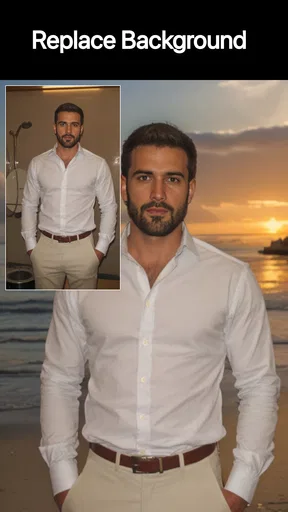
Compared with a standard phone editor, Riff is more useful when the change is semantic rather than cosmetic. A phone editor is excellent for cropping, exposure, color, rotation, and simple filters. It is usually more predictable because I can see the adjustment directly. Riff becomes more interesting when I want to describe a new outfit, remove an object, or alter a broader visual characteristic without manually constructing the result.
Compared with a full professional editor, Riff is quicker and less intimidating, but less transparent. A professional application gives me finer control over selections, layers, masks, blending, and corrections. That matters when an image must be repeatable or technically clean. Riff is better suited to trying possibilities, producing a quick social image, or making a personal photo more presentable with minimal effort.
Compared with a manual retouching app, the decision comes down to time versus predictability. Manual tools make me work harder, yet they also let me decide exactly which pixels change. Riff can save that effort, but its interpretation may not match my intention. I would choose it for a first pass and choose a manual tool when the image carries professional, emotional, or reputational weight.
Who should try it, and who should skip it
I would recommend Riff to casual creators, people testing outfit ideas, users cleaning up everyday snapshots, and anyone curious about AI-assisted photo changes without wanting a long tutorial. The free entry point makes it reasonable to try on a non-sensitive image first. Its appeal is strongest when speed and experimentation matter more than exact control.
I would be more hesitant to recommend it as the only editor for photographers, designers, sellers who need accurate product representation, or users who regularly handle private images. Those people may prefer a workflow with clearer manual control and a more deliberate review process. I would also skip it for anyone who dislikes AI-generated alterations on principle; the app’s central value comes from letting automated interpretation change the image.
The purchase model is another reason to stay attentive. Since the app is free but includes paid items, I would test the basic workflow and read the terms shown at the point of purchase before spending money. A single successful edit does not prove that every future request will be equally useful, so I would avoid buying more than I need until I understand how well it fits my normal photos.
My cautious verdict after using it
Riff is a convenient Photography app with a clear personality: it wants to help me make noticeable visual changes quickly. Outfit experiments, body-type variations, added details, and distraction removal give it more creative range than a basic filter app. I especially like the potential for low-stakes brainstorming, where an imperfect result can still answer the question, “Is this idea worth pursuing?”
Its limitations are just as important. The app cannot replace my judgment about realism, consent, privacy, or whether an altered image is appropriate for its intended use. Automatic edits can also need inspection around edges, hands, hair, patterns, and backgrounds. For exact retouching, a manual editor remains the safer choice; for simple brightness and cropping, the phone’s built-in tools may be faster.
With over fifty thousand installs and an average rating of 4.2 from hundreds of ratings, Riff has attracted a meaningful early audience without being something I would treat as universally suitable. Those figures suggest a real level of interest, but they do not tell me whether the app will handle my particular photos well. The best test is a harmless, well-lit image that does not contain sensitive information.
My final recommendation is to try it as a creative assistant, not as an unquestioned image-maker. Keep originals, inspect results at full size, review visible permissions and purchase choices, and obtain consent before editing or sharing another person’s appearance. If I follow those habits, Riff can be a genuinely fun shortcut for visual experiments and everyday cleanup. If I need precision, transparency, or strict fidelity to reality, I would reach for a conventional editor instead.
Verdict
Strengths of Riff: Fast Easy Photo Edits
- Quick edits are easy to make, even for beginners.
- Useful filters and effects help create eye-catching images.
- Simple interface makes tools easy to find and use.
- Good for preparing photos for social media posts.
- Editing results can be previewed before saving.
Limitations of Riff: Fast Easy Photo Edits
- Some advanced tools may require a subscription.
- Heavy effects can reduce image quality noticeably.
- The app may feel limited for professional photo editing.
- Export options may not offer much control over file size.
- Performance can vary on older phones.
Similar Picks in This Category
View All
Google Photos
Google LLC4.4

Gallery
Google LLC4.2

Picsart AI Photo Editor, Video
PicsArt, Inc.3.9

B612 AI Photo&Video Editor
SNOW Corporation4.1

BeautyPlus-Selfie Photo Editor
PIXOCIAL TECHNOLOGY (SINGAPORE) PTE. LTD.4.5

Remini - AI Photo Enhancer
Bending Spoons4.1
Frequently Asked Questions
What is Riff: Fast Easy Photo Edits?
Riff: Fast Easy Photo Edits is a mobile photo-editing app designed for quick, accessible image improvements. It focuses on making everyday edits easier, such as applying creative effects, adjusting the appearance of photos, and preparing images for sharing. Its streamlined approach is aimed at users who want attractive results without learning a complicated professional editing workflow.
Is Riff: Fast Easy Photo Edits free to download and use?
The app may be available to download at no initial cost, but some editing tools, effects, export options, or other features can depend on the current version and platform. Before using it regularly, check the app-store listing for in-app purchases, subscriptions, trial conditions, and advertising information. Pricing and included features may vary between Android and iOS.
What kind of photo edits can I make with Riff?
Riff is intended for fast creative edits rather than highly technical image manipulation. Depending on the version installed, users may be able to enhance photos, apply filters or visual effects, make basic adjustments, and create images suitable for social media or messaging. The available tools can change with updates, so reviewing the current feature list is recommended.
Is Riff suitable for beginners?
Yes, the app is primarily aimed at people who want to edit photos quickly with minimal effort. Its appeal is the straightforward editing experience, which can be more approachable than feature-heavy software. Beginners should still explore the menus and preview changes before saving, especially if they want precise control over color, cropping, image quality, or the intensity of applied effects.
Does Riff: Fast Easy Photo Edits require access to my photos or personal information?
A photo-editing app generally needs permission to access selected images, the device photo library, or the camera if you want to import or capture content. Permission requests can differ by operating system and app version. Before accepting them, review the platform privacy details and grant only the access required for the features you plan to use. Also check how edited images are stored or shared.
